Livestream Studio: What a Professional Space Needs for Live Broadcasts
A livestream studio is a purpose-built space for live streaming: a set, cameras, lighting, a microphone, and a control area that can send a reliable live video signal to an audience. For organizations, churches, brands, and creators, livestreaming from a dedicated studio is what makes recurring live events, webinars, and launches feel steady instead of improvised.
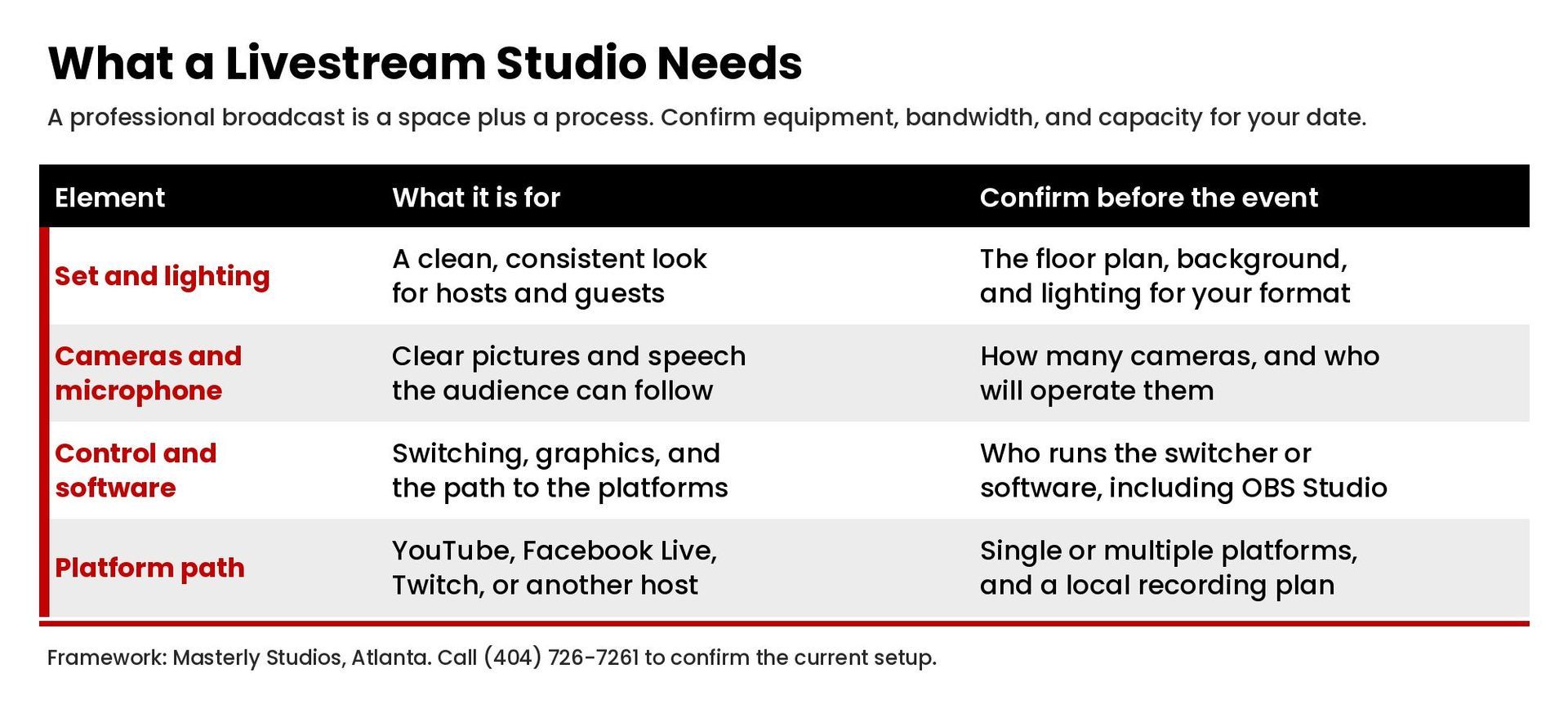
This guide explains what a professional livestream studio needs for a clean broadcast. It is about the space and the workflow, not a software shopping list. Equipment, bandwidth, capacity, and room details vary and should be confirmed with the studio before you book. Masterly Studios works from Atlanta. To talk through a session, call (404) 726-7261 or contact us. For crew and show support, see our livestream production services. If the same visit includes audio interviews, our podcast studio page covers that space.
What a Livestream Studio Is and What Live Streaming Requires
Live streaming is a real time broadcast. Viewers watch as the event happens, and there is little room to hide a weak signal, a noisy room, or a host who cannot hear cues. A livestream studio is designed to reduce those risks and to help teams create a stream that users can follow without friction. It gives hosts a controlled set, gives operators a place to switch cameras, and gives the stream a path to the platform you will use.
Beginners sometimes start with an iPhone or another single device. That can be enough for a simple test. Professionals who run live events usually want more control: more than one camera, a dedicated microphone, lighting that holds up on camera, and a backup path if a tool fails. Reliability matters more than novelty. A clean livestream is easier for the audience to watch and easier for the brand to stand behind.
The ideal setup depends on the format. A single host at a desk, two hosts at a table, a presenter with slides, and a panel that will invite guests each ask for a slightly different floor plan. Confirm what the space can support for your run of show, including how many people will be on camera and how the team will connect to the stream.
Cameras, Audio, Visuals, and a Green Screen
Cameras and a microphone are the starting point, but they are not the whole setup. Lighting, background, and sound treatment shape how professional the picture feels. Visuals should be simple and consistent with the brand. A busy wall, a hum, or a light that shifts mid-show will distract from the content.
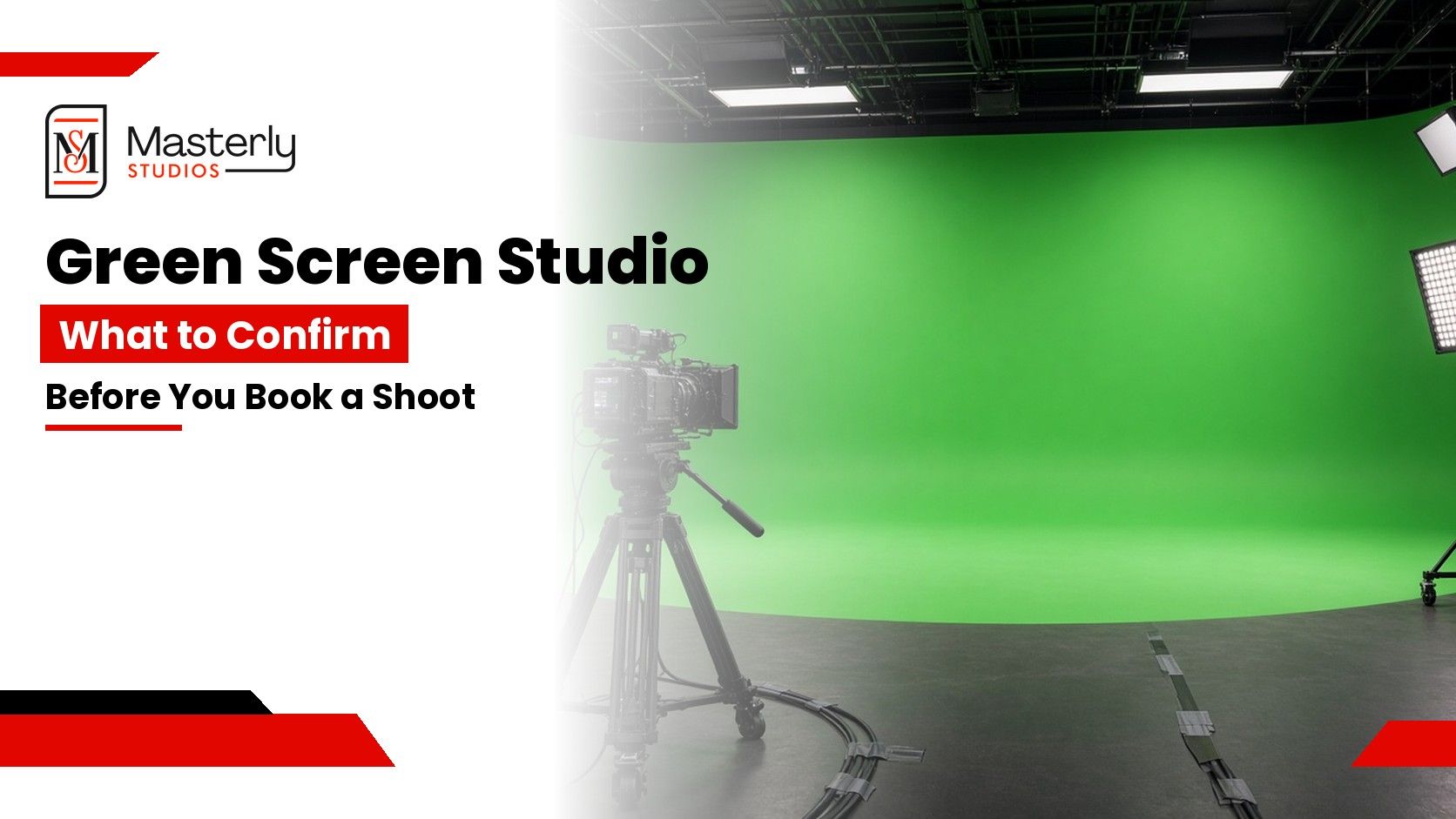
A green screen can be useful when you need a virtual background or a graphic environment. It is not required for every livestream. A green screen only looks clean when the lighting is even and the talent stays in the lit area. If you are considering one, our green screen studio guide covers what to confirm before you book. Do not assume a particular wall, size, or lighting package is available until the studio confirms it.
Effects, lower thirds, and slides should be easy for the operator to run in real time. More effects are not automatically better. The audience needs information, not a stack of animations. Keep graphics accessible and readable, and test them on a phone-sized screen before the live event.
Livestream Studio Software, OBS Studio, and Streaming Platforms
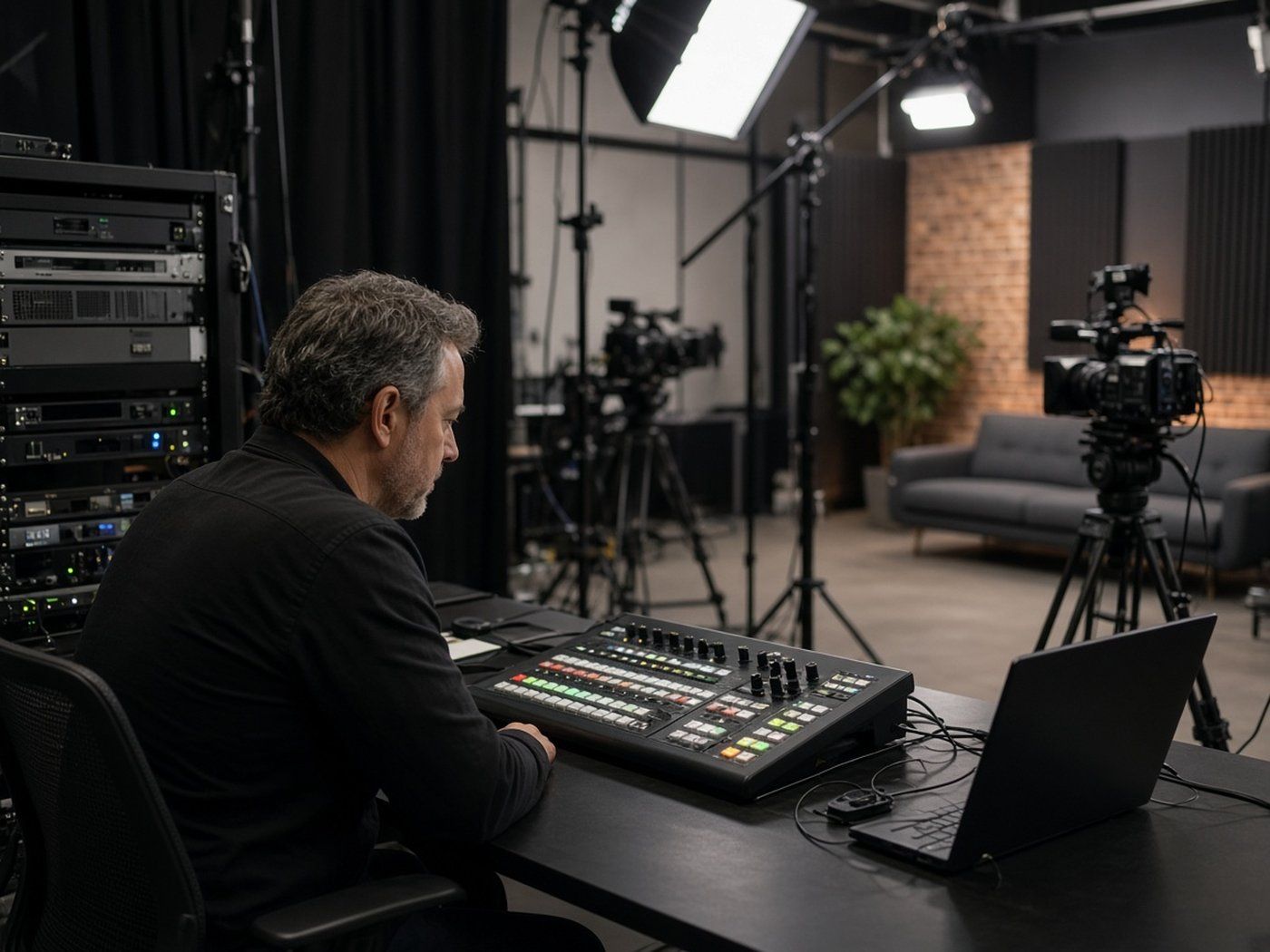
Streaming software, also called livestream studio software, is the layer that takes camera and microphone inputs and sends the program to streaming platforms. Some teams use a hardware switcher. Others use software on a computer. OBS Studio is a widely used, free, open source option, published by the OBS Project. Other tools exist, including paid products. This article does not rank them.
The right choice depends on whether you need to invite guests from a remote link, play videos, add graphics, or record locally while you stream. Advanced features are useful only if someone on the team knows how to use them under pressure. Ease of use on show day matters more than a long feature list. Confirm which software or hardware the studio will run for your event, and who will operate it.
Streaming platforms such as YouTube, Facebook Live, and Twitch each have their own current requirements, stream keys, and audience tools. Some organizations also ask whether they can livestream on Vimeo or another professional host. The answer belongs on that platform's own site, because offerings change. Your studio and production team can help you connect to the platform you choose, once you have confirmed the destination.
Multiple Platforms, Invite Guests, and Real Time Control
Many organizations want to appear on multiple platforms at once. That is possible with the right workflow, but it should be planned, not assumed. Confirm how the studio can share the same program to more than one destination, and what happens if one platform drops.
Remote guests need a clear path in. If you will invite guests over a link, test the device they will use, the audio, and the backup plan if the call fails. A studio can make that process easier, but the guest still needs a quiet room and a stable connection.
Real time control is what keeps a livestream watchable. Someone should be able to switch cameras, adjust levels, and watch the outgoing stream while the hosts stay on the set. Questions from the audience, if you take them, should be routed to the host in a way that does not interrupt the program. Links, official pages, and support information can be shared in the stream description or a follow-up, rather than rushed on camera.
It is often possible to record and live stream at the same time, so you have a local copy if the outbound stream has a problem. Confirm that workflow for your session rather than treating it as automatic.
Why Software Top Picks Are Not the Same as a Studio
Search results are full of "top picks" lists for livestream studio software. Those lists can introduce tools, but they cannot tell you whether a room is quiet, whether the lights will hold, or whether a crew is ready to run your live event. A studio is a space plus a process. Software is one part of that process.
Creators and live streamers who work alone may choose tools for flexibility and a low start cost. Organizations that need a professional broadcast usually care more about support, backup, and a team that has already run similar events. Learn the tools you will actually use, then spend your planning time on the run of show, the set, and the platform path.
Frequently Asked Questions
How do I livestream a live event?
Plan the run of show, confirm the studio setup, decide which platforms will carry the stream, and assign someone to operate cameras and the switcher. Then test the path before you go live. Our livestream production services page is the next step if you need a crew.
Can you record and live stream at the same time?
Often yes, when the workflow is set up for it. Confirm the recording plan for your session so you have a local copy as well as the live broadcast.
How many followers do you need to do a live stream?
It depends on the platform's current rules. There is no single follower count that applies everywhere. Check the platform you plan to use.
Can you livestream on Vimeo?
Vimeo and other hosts have offered live capabilities. Confirm the current options and file or stream requirements on the platform's own site.
How do I download Livestream Studio?
This article is about a physical livestream studio, not a software installer. If you mean a specific software product sold under a similar name, download and license details belong on that vendor's own site.
How do I make money from live streaming?
Some creators and organizations use live video to support events, memberships, launches, or training. There is no reliable income figure that applies to every stream. The studio's job is a clean broadcast. The business model is yours.
Plan a Livestream in Atlanta
A professional livestream studio gives you a controlled set, a clear audio path, and a way to reach the audience in real time. The details of cameras, bandwidth, capacity, and rooms should be confirmed for your date. When those pieces are in place, hosts can focus on the content, and the stream is easier for viewers to watch.
To plan a session at Masterly Studios in Atlanta, contact us or call (404) 726-7261. If you need a production team for the broadcast, start with livestream production services.