Home Studio Setup: How to Build a Space for Video, Podcasts, and Calls
A professional home studio setup needs a suitable room, reliable camera, clear microphone, balanced lighting, and appropriate sound treatment. The equipment and layout depend on whether the space will support video meetings, podcast interviews, online courses, or recorded presentations. A professional studio team can help design and install a coordinated system that fits your home and work requirements.
Your home office may be comfortable for daily work, but that does not mean it is ready for professional video or audio recording.
Poor lighting can make an executive presentation appear unprofessional. Background noise can distract podcast listeners. A camera positioned at the wrong angle may affect how clients perceive a business during important video meetings.
For executives, consultants, coaches, and content creators, these problems can become frustrating when recording is part of their daily responsibilities.
You may already own a camera, microphone, or lighting equipment but still struggle to achieve consistent results. Purchasing more equipment without considering the room can create additional expenses without solving the underlying problem.
Masterly Studios provides professional video and podcast production expertise for clients seeking a coordinated home or office studio setup.
Our team can discuss the room, recording goals, equipment requirements, and technical considerations involved in developing a professional production environment.
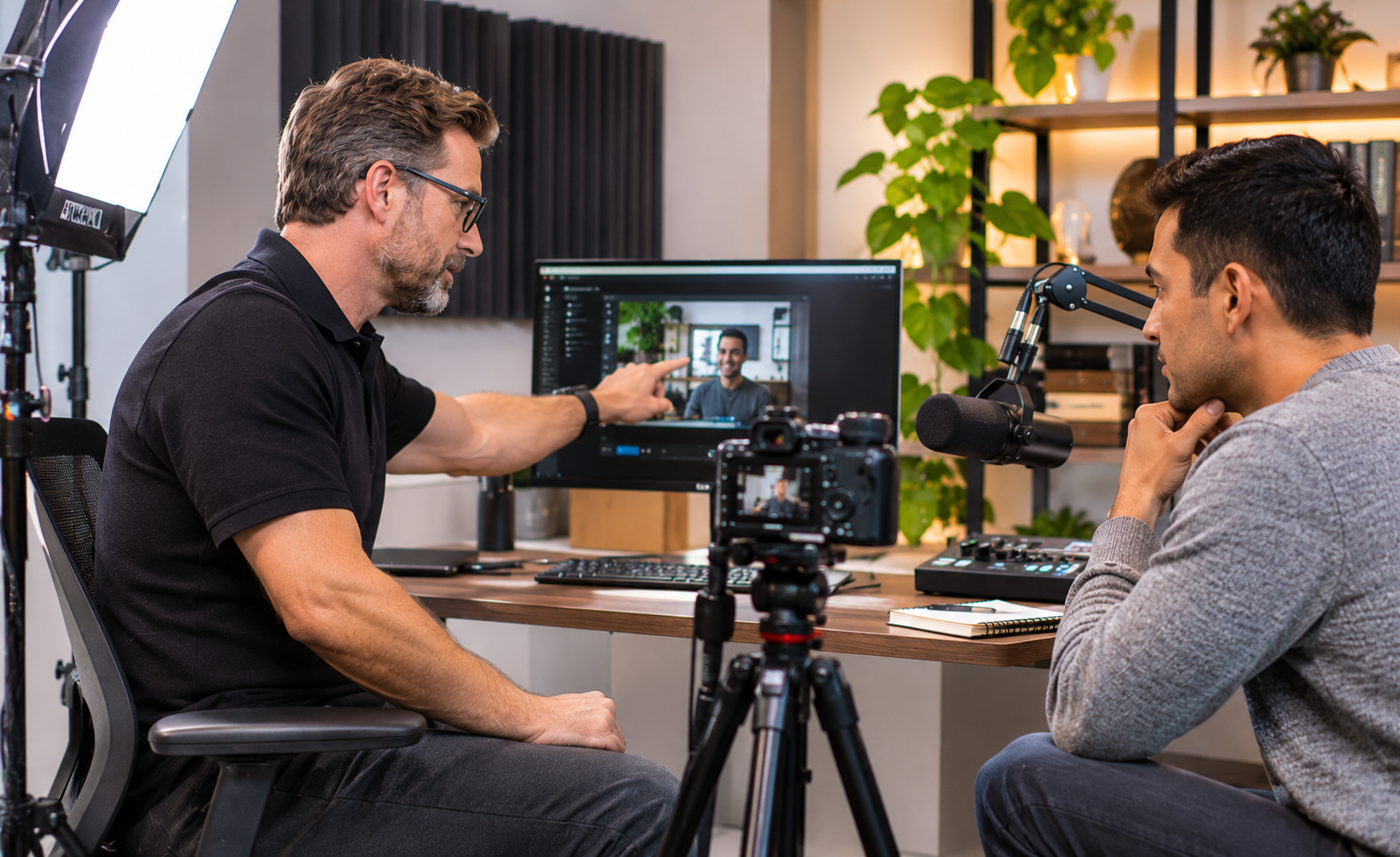
1. What a Home Studio Setup Needs
A home studio setup typically combines a suitable recording space, quality audio equipment, controlled lighting, a camera, and reliable recording or communication software. Some environments also need acoustic treatment, dedicated backdrops, and equipment controls. The best configuration depends on the room, the intended content, and how often the studio will be used.
Why a Professional Home Studio Requires More Than Equipment
Many professionals begin by purchasing a camera, microphone, and lighting kit.
However, individual equipment purchases do not always create a consistent recording environment.
A microphone may capture unwanted echoes because of the room's surfaces. A good camera may produce uneven images when the lighting changes throughout the day.
A background may also look appropriate during a meeting but become distracting when recorded for a public presentation.
These problems often involve the relationship between the room, equipment, and recording requirements.
Professional studio planning considers the entire environment rather than treating each device as a separate purchase.
A Studio Designed Around Your Professional Work
An executive recording company updates may need a different environment from a consultant producing weekly educational videos.
A podcast host may require microphones for multiple speakers, while an online coach may need one dependable camera angle and clear audio for client sessions.
Masterly Studios works in professional video production, podcast recording, lighting, and content creation.
That production background can inform discussions about suitable equipment and studio arrangements for different professional needs, including a comfortable working environment that supports the creative process and brings ideas to life.
Seating and layout should also support long recording or editing sessions, with ergonomic choices that help maintain comfort and creativity.
2. Choosing the Room: Size, Noise, and Background
Room Size and Available Recording Space
A dedicated home studio does not always require a large room.
Environmental noise control also matters because it helps protect sound quality in the space.
Some professionals may be able to use an existing home office, guest room, or other suitable interior space, though a spare room away from street noise is often a stronger option when available.
However, room dimensions affect camera placement, lighting positions, background separation, and equipment access.
A small room may provide enough space for one person recording videos but become difficult to manage when additional guests or cameras are involved.
For a home recording studio setup, the appropriate room depends on the type of content being created and the equipment required.
A professional assessment can help identify whether the available space supports the intended recording activities.
Managing Household Noise and Room Acoustics
Background noise is one of the most common challenges in home recording environments.
Traffic, air-conditioning systems, household conversations, and outside activity can interfere with audio quality.
Hard walls, windows, and bare floors may also create sound reflections that make speech sound hollow or distant.
Acoustic treatment can help reduce unwanted reflections inside a room. acoustic panels, including homemade options, can be a budget friendly way to improve acoustics, and homemade acoustic panels can significantly improve sound quality. Foam pads or other sound absorbers need strategic placement to reduce standing waves as sound waves interact with hard surfaces, and acoustic foam pads can drastically enhance studio acoustics. However, acoustic treatment and soundproofing are not the same thing.
Soundproofing may involve more extensive building modifications to reduce sound entering or leaving the space.
Masterly Studios can discuss audio requirements and determine which concerns may need additional technical evaluation before a proposed setup is finalized.
Choosing a Professional Background
A studio background should support the speaker's professional image without distracting viewers.
An executive may prefer a clean office setting with neutral colors.
A consultant may want bookshelves or selected business-related objects that communicate expertise.
A podcast host may need a background that includes appropriate branding, furniture, and visual depth.
The background should also work with the lighting and camera arrangement.
A carefully designed space can support several recording formats while maintaining a consistent appearance.
3. Core Gear: Camera, Microphone, Lighting, and Acoustic Treatment
Camera Selection and Professional Video Quality
Camera quality matters, but choosing the most expensive device is not always necessary.
The appropriate camera depends on the recording format, desired image quality, available room space, and whether the studio will support live meetings or recorded productions.
A single-camera system may be appropriate for executive video calls and educational presentations.
A more complex production may require additional cameras or recording equipment.
A professional home video studio setup should consider camera placement, lens selection, framing, lighting, and compatibility with the intended recording platform.
Masterly Studios can discuss equipment requirements as part of a proposed production environment.
Microphones and Clear Speech Recording
Clear audio is essential for podcasts, client calls, training programs, and recorded presentations.
Even high-quality video can be difficult to watch when speech sounds distant, distorted, or inconsistent.
High-quality microphones are essential for capturing vocals and instruments clearly. The three primary microphone categories are condenser microphones, dynamic microphones, and ribbon microphones.
For recording vocals, condenser options are common and may require phantom power from connected gear.
A podcast recording arrangement may use microphones positioned close to the speakers, while a video presentation may call for dynamic options on louder sources or a flexible spoken-word setup that allows natural movement.
The room's acoustics, recording software, and audio equipment also influence the final sound.
Professional planning helps identify an appropriate system rather than relying on equipment specifications alone.
Lighting for Consistent Video Recording
Lighting affects how a person appears on camera.
Natural daylight can be useful, but it may change throughout the day.
For professionals recording frequently, inconsistent light can create noticeable differences between videos.
A dedicated lighting arrangement may help provide a more dependable visual appearance.
The proposed setup may consider light placement, brightness, color consistency, available electrical connections, and the room's existing windows.
Masterly Studios brings professional lighting and video production experience to discussions about recording environments.
Acoustic Treatment and Technical Integration
A complete studio may involve more than cameras and microphones.
Depending on the project, it may also require an audio interface between microphones, other instruments, and the computer, along with recording controls, monitor placement, equipment mounts, cables, and suitable acoustic materials.
An audio interface converts analog signals to digital audio and can enhance the quality of input signals.
It should be chosen based on the number of inputs needed and, when relevant, whether MIDI connectivity is required for keyboards.
All of these elements should work together.
A professional installation plan can help address equipment placement, compatibility, ease of use, and the overall appearance of the room.
The specific equipment and installation services should be defined in the project proposal.
4. Setting Up for Video Calls, Podcasts, and Course Recording
Professional Video Calls and Executive Communications
Executives and consultants often rely on video meetings to communicate with employees, clients, and business partners.
Poor audio, inconsistent lighting, and distracting backgrounds can affect the professionalism of these interactions.
A dedicated video meeting space may include suitable camera positioning, clear speech capture, controlled lighting, and convenient equipment access.
For professionals who frequently present to clients, a consistent recording environment can reduce the need to rearrange equipment before every meeting.
Masterly Studios can discuss recording and communication requirements for executive and professional use.
Home Podcast Studio Setup
A home podcast studio setup may require different equipment from an ordinary video meeting arrangement.
Podcast hosts often need microphones, headphones, audio recording equipment, a computer, and a digital audio workstation when the workflow includes multitrack recording or editing, along with suitable seating for interviews.
Some creators start with a free DAW such as Audacity, while others move to paid software as production needs expand.
Video podcasts may also require additional cameras, lighting, and a visually consistent set.
A studio intended for remote interviews may need reliable connectivity and software that supports separate audio or video recordings. A reliable computer with enough RAM and storage helps recording and editing run smoothly.
The appropriate arrangement depends on whether the podcast involves one host, multiple speakers, remote guests, or a combination of formats. DAW choice also depends on workflow, with pro tools common in professional studios, logic pro a strong option for mac users, and different platforms better suited to different genres and production styles.
Masterly Studios provides professional podcast production services, including audio recording, video production, editing, and related consulting.
Its production experience can support conversations about the needs of a dedicated podcast recording space.
For more information about professional recording environments, read Podcast Studio Setup: What a Professional Recording Space Should Include.
Recording Online Courses and Training Videos
Coaches, educators, consultants, and business leaders may use a home studio to record online courses, employee training, or professional presentations.
These projects may require a camera suitable for longer recordings, clear audio, consistent lighting, and a background that supports the instructor's subject.
Some productions may also involve screen sharing, presentation slides, or demonstrations.
The recording environment should support the instructor's normal teaching or presentation style.
A carefully planned studio may make it easier to produce visually consistent lessons across several recording sessions.
Supporting More Than One Recording Format
Some professionals want one space that can support podcasts, video meetings, and educational recordings.
A flexible configuration may be possible, depending on room size and equipment requirements.
However, a system designed for several recording formats can involve additional complexity.
Masterly Studios can discuss the intended uses and help determine which features should be prioritized during the proposed studio planning process.
5. When to Bring in a Studio Team for Design and Installation
When Equipment Problems Affect Your Work
Professional assistance may be appropriate when recording quality remains inconsistent despite purchasing new equipment.
For example, an executive may experience recurring audio problems during client presentations.
A podcast host may struggle with echo, microphone placement, or lighting that changes between episodes.
A coach may need a recording environment that supports frequent video production without complicated equipment adjustments.
These situations can benefit from a professional review of the room and its technical requirements.
What a Professional Studio Consultation May Cover
A studio setup consultation may begin with a discussion of the client's goals and intended uses.
Relevant considerations can include available room dimensions, existing equipment, recording formats, preferred appearance, budget, whether the client needs a phased build on a tight budget, and project timeline.
Depending on the agreed scope, a proposed project may involve room planning, equipment recommendations, lighting design, audio considerations, technical integration, or installation arrangements.
Not every project requires the same services. Some setups begin with essential equipment and an affordable option for core gear, and you can upgrade studio components over time as budget allows; budget-friendly audio interfaces are often sufficient for beginners.
The proposal should clarify what is included, which equipment will be supplied, and whether additional work or specialist contractors are required.
Home and Office Studio Projects Across the United States
Masterly Studios works with businesses, professionals, and content creators on video and podcast production needs.
For clients outside Atlanta, home and office studio setup inquiries can be discussed based on the project's location, room requirements, and desired services.
Whether a particular engagement involves remote planning, on-site installation, travel, or a combination of services should be confirmed during consultation.
This distinction is important because different properties may have different technical, electrical, acoustic, and scheduling requirements.
Why Professional Studio Design Can Be a Practical Investment
A professionally planned recording environment can support ongoing business communications and content production.
For an executive, the value may come from a dependable space for presentations and meetings.
For a creator, it may involve more consistent recordings and less time managing equipment. If you are also handling audio editing or mixing, dedicated studio monitors can improve accuracy significantly through more reliable sound reproduction than standard monitors.
For a coach or consultant, the benefit may be a professional environment suitable for client sessions and educational content.
A home studio does not need to copy every feature of a large commercial production facility.
The goal is to create a space suited to the client's actual recording needs.
To understand how home recording environments compare with professional production spaces, read Why Your Audience Can Tell the Difference Between a Home Setup and a Professional Studio.
Professional Recording Studio Equipment for Video, Podcasts, and Music Production
A professional recording studio requires equipment that supports clear audio, dependable recording, and consistent production quality. Whether a client creates podcasts, video presentations, or music production content, the appropriate setup depends on the intended use. Music producers may require monitor speakers, closed back headphones, and recording software such as FL Studio or Ableton Live to manage multiple instruments and audio tracks. A powerful computer with low latency performance may also be important for demanding recording sessions. For clients working with acoustic instruments, acoustic guitars, or other live instruments, professional planning can address microphone selection, room acoustics, and suitable recording techniques. Masterly Studios can discuss these technical requirements and determine which studio design services fit the client's production goals.
Acoustic Treatment and Audio Quality for Home Recording Studios
A professional home recording environment should support minimal noise intrusion and clear speech or instrument recording. Depending on the project, dynamic mics may be suitable for spoken audio, while a pop filter can help reduce unwanted bursts of air during vocal recordings. Foam panels and other acoustic treatments may reduce sound reflections, although they do not provide complete soundproofing. The placement of equipment also matters. Monitor speakers are often positioned near ear level for critical listening, while thoughtful cable management helps keep the workspace organized and equipment easily accessible. Masterly Studios can evaluate the room's intended use, existing equipment, and acoustic challenges when discussing a professional home or office studio setup.
Studio Design for YouTube Videos and Quality Content Production
For executives, coaches, and creators, a dedicated recording space can be a great starting point for producing consistent, quality content. Professionals managing a YouTube channel may use YouTube Studio to organize and publish videos, but the physical recording environment determines many aspects of the original audio and video quality. A well-planned home studio may include cameras, microphones, lighting, audio controls, and recording software as part of a comprehensive suite of production equipment. Rather than purchasing devices separately without a clear plan, clients can discuss an integrated studio arrangement with Masterly Studios. The appropriate design depends on the available room, recording requirements, budget, and the professional services included in the proposed engagement.
Frequently Asked Questions About Home Studio Setup
1. How Much Space Do You Need for a Home Studio?
A home studio may fit in a small office or spare room, depending on the recording requirements. A single-person video setup generally needs less space than a multi-person podcast studio. Camera distance, lighting, acoustics, furniture, and equipment access should be considered before selecting a room.
2. What Is the Most Important Piece of Gear for a Home Studio?
There is no single device that matters most in every studio, because most people need the right setup for their recording goals. Clear audio and suitable lighting are often important for professional communication, while camera requirements depend on the recording format. The best results usually come from equipment that works well with the room and intended production. A computer and software can matter just as much as microphones or lights, especially for recording music or using MIDI controllers to play virtual instruments within a Digital Audio Workstation.
3. Can Masterly Studios Set Up a Home Studio Outside Atlanta?
Masterly Studios accepts discussions about home and office studio projects for clients across the United States. The available planning, installation, travel, and remote-support arrangements should be confirmed for each location before services are promised or scheduled.
Talk With Masterly Studios About a Home or Office Studio Setup
A dependable recording environment can help you communicate more professionally, produce consistent content, and reduce technical distractions.
Whether you are an executive conducting important video meetings, a coach recording educational programs, or a creator developing a podcast, your studio should support your work rather than make it more difficult.
Masterly Studios provides professional video and podcast production expertise for clients exploring home and office studio design and setup.
Our team can discuss your recording goals, available space, equipment needs, and the services appropriate for a proposed studio project.
Contact us to discuss your location, room size, intended recording activities, existing equipment, and desired timeline.
Masterly Studios
Phone: (404) 726-7261
Website: https://www.masterlystudios.com/