Hybrid Event Production: How to Plan and Run a Hybrid Event
Hybrid event production, sometimes called hybrid event management, is the work of running one event for two audiences at the same time: people in the room and people watching online. A successful hybrid event treats both groups as real participants. In person attendees get the energy of the room, and virtual attendees get a clear view, good sound and a way to take part. This guide covers hybrid event planning from the first decision to the follow up, including how to set up the technology, how to run the day, and how to measure results.
If you are comparing production options for corporate events, see Masterly Studios' pages on virtual event production services, event production services for businesses and livestream production.
What Is a Hybrid Event?
A hybrid event combines an in person event with a virtual event. Speakers, panels and sessions take place in a physical venue, and the same content is streamed to online attendees who watch and take part from anywhere. The format works for conferences, workshops, training sessions, product launches, town halls and member meetings.
A hybrid event is not the same as a virtual event with a few cameras added, and it is not a traditional in person event with a stream pointed at the stage. In a successful hybrid event, the program is designed for both audiences from the start. Hybrid event production is the discipline of making that design work on the day.
Why Organizations Choose Hybrid Events
Hybrid events give event organizers several practical benefits:
- A broader audience. People who cannot travel can still attend, which can widen the reach of an event beyond the local market.
- Flexibility. Remote attendees across multiple time zones can join live or watch a recording afterward.
- Content that lasts. Recorded sessions can be reused for future events, training and marketing.
- Resilience. If travel plans change, a hybrid format keeps the event available to people who cannot be in the room.
- Useful data. Digital platforms record attendance, questions and chat activity, which helps event planners refine future events.
Hybrid Event Planning: Start With the Objectives
Strong hybrid event planning starts with a short list of event objectives. Decide what the event must accomplish, who each audience is and what each audience should do. Common objectives include sharing information, training staff, generating leads, connecting members or launching a product.
Then answer four planning questions:
- Who is the in person audience, and who is the virtual audience? Their needs often differ. Virtual attendees may need shorter sessions and more interaction, while in person attendees expect networking and a rich live experience.
- What content works for both? Keynotes and panels usually translate well. Hands on activities may need a separate approach for online participants.
- How will the two audiences interact? Decide how virtual attendees will ask questions, answer polls and speak with in person participants.
- What will success look like? Choose measures before the event, such as attendance, session views, questions asked and feedback scores.
Choose a Hybrid Event Platform and Technology
The hybrid event platform is the center of the virtual experience. It carries the live stream, chat, polls, questions and any on demand content. When you compare virtual event platforms, look at:
- Streaming quality and reliability for the number of expected virtual attendees
- Interactive features such as chat, polls, question tools and breakout rooms
- Registration and access control, including ways to separate in person and virtual attendees
- Recording and on demand playback
- Analytics for attendance and engagement
- Technical support during the event
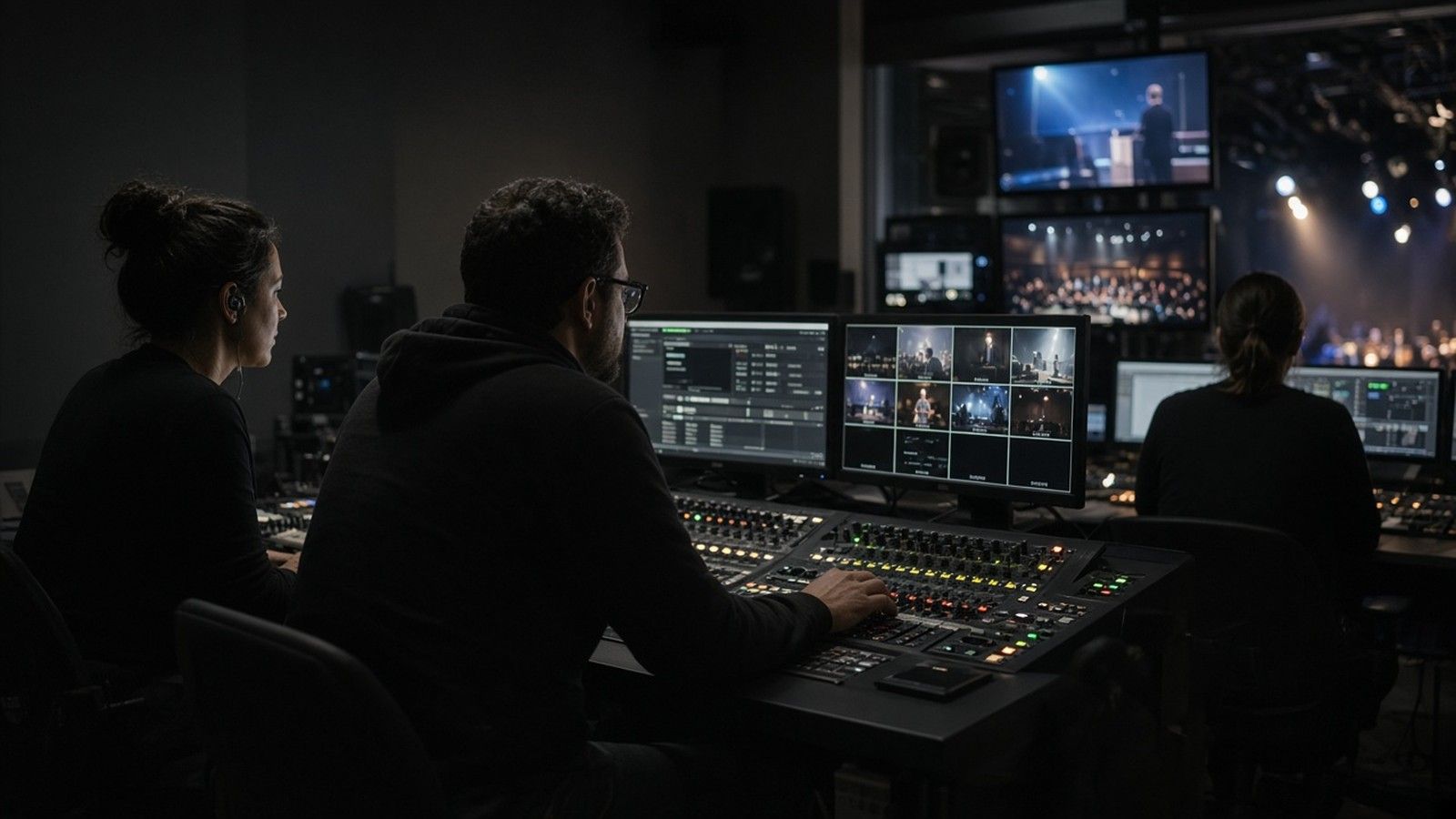
Hybrid event technology in the room usually includes cameras, microphones, a switcher or production control, a stable network connection and a way to show remote participants to the in person audience. Plan these elements with your production team and confirm every requirement for your venue in writing. Details such as room capacity, equipment lists and network speed vary by venue, so confirm them directly with the venue and your production partner.
Design the Program for Both Audiences
A hybrid event program works best when it is built for two audiences rather than adapted for one.
- Keep sessions focused. Online attention is harder to hold than attention in a room, so shorter sessions and clear breaks help.
- Give virtual attendees a role. Use a moderator who reads questions from the online audience, and take them as often as questions from the room.
- Use interactive sessions. Polls, chat and live questions connect attendees and keep participant engagement high.
- Create networking opportunities for both groups. Offer online networking rooms, and mix virtual attendees into discussion where possible.
- Plan for time zones. If your audience spans multiple time zones, record sessions and make them available on demand.
- Think about accessibility. Captions, readable slides and clear audio make events accessible to more people.
Key Benefits and Technology Options for Hosting Hybrid Events
The key benefits of hosting hybrid events come from combining the physical event with a virtual event that reaches a global audience and diverse audiences in multiple locations. Hybrid events give the event industry a flexible format: in person experiences stay valuable, while virtual and hybrid events add reach and valuable data. Event management teams that plan pre event planning carefully, and that are leveraging technology with purpose, often find it easier to make events accessible and to enhance participant engagement.
Digital tools and digital platforms connect in person and virtual attendees through live streaming, chat functions and interactive tools. A virtual platform lets online participants and virtual participants take part in polls and questions, and a good hybrid event platform helps integrate seamlessly with the physical venue. Some organizers explore advanced technology such as virtual reality or augmented reality to create virtual environments and virtual elements, although these add cost and complexity, so use them only when they serve the event objectives. Many teams stay with simple virtual components such as a live stream, a moderated chat and recorded sessions.
Strong audience interaction depends on the person and virtual balance. Allowing participants in the room and online participants to ask questions through the same channel supports face to face interaction for the in person audience and an equal voice for virtual attendees. Leaders in the event industry stress that the in person component and the online component each need an owner. Plan in person activities that also work on screen, such as short demonstrations, and plan separate virtual elements, such as online networking, for remote attendees. Compared with traditional in person events, a hybrid event can improve an event's visibility, and event attendance can grow because people who combine in person and virtual formats can choose how to join. Treat in person engagement and online engagement as equal goals, and review the data after each successful event to refine future events. Sustainability hybrid events also receive attention, because fewer people travel when part of the audience attends online, though organizers should avoid unsupported claims about the environmental benefit.
Technical Setup and Rehearsal
A hybrid event runs smoothly when the technical setup is tested before the event.
- Run a full technical rehearsal with speakers, moderators and the production team, using the same equipment and platform as the live event.
- Test audio first. Poor sound is the most common reason online attendees leave a stream.
- Check lighting and camera framing for every speaker position, including panel seating.
- Prepare a backup plan for internet loss, a failed microphone or a platform problem, and assign who makes each decision.
- Assign a technical support team for virtual attendees so they can get help with login or audio during the event.
- Brief speakers on how to speak to both audiences, including looking at the camera when answering online questions.
Roles on the Day of a Hybrid Event
Clear roles keep a hybrid event production on schedule. Typical roles include:
- Producer or show caller , who manages the run of show and cues each segment
- Technical director , who runs the video and audio mix
- Virtual host or moderator , who speaks to the online audience and relays questions
- In person host , who manages the room
- Platform manager , who controls the polls, chat and links
- Support staff , who answer attendee questions
After the Event: Measure and Follow Up
The work continues after the event ends. Send a thank you message to both audiences and share the recordings. Collect feedback with a short survey and review event performance against the objectives you set. Look at attendance, session views, questions, polls and survey responses to learn what to improve. Gather feedback from speakers and event planners on the production team as well, because they see problems the audience does not.
Common Hybrid Event Mistakes
- Treating online attendees as an afterthought
- Skipping the technical rehearsal
- Running long sessions with no breaks
- Using one microphone setup for both a room and a stream
- Leaving no one in charge of the virtual audience
- Forgetting to plan follow up content
Frequently Asked Questions About Hybrid Events
What is a hybrid event?
A hybrid event is an event that combines an in person audience with a virtual audience, usually through a live stream and an online platform.
Can you give an example of a hybrid event?
A company all hands meeting held in a conference room, with employees in other offices watching a live stream and sending questions through chat, is a common example.
What are the stages of event planning?
Common stages include setting objectives, choosing a format and venue, building the program, selecting vendors and technology, promoting the event, running the event and following up.
What equipment does a hybrid event need?
Most hybrid events need cameras, microphones, audio and video mixing, a reliable network connection and a streaming platform. Exact requirements depend on the venue and the size of the audience.
Plan Your Hybrid Event
Hybrid event production takes careful planning and a team that can serve two audiences at once. To discuss your event, contact Masterly Studios or call (404) 726-7261.